Web & mobile apps
Built around how you work, not the other way around.
We build custom web and mobile apps for your team and your customers: client portals, booking systems, dashboards and internal tools. They connect to the software you already use, so nobody has to enter the same information twice.
+37%
conversion rate
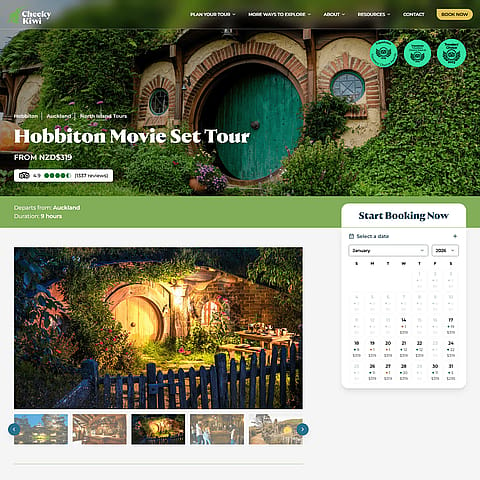
Cheeky Kiwi Travel · page loads from 10s to under 2s
340+
makers on one portal
POP Local · sales, payouts and product submissions
30 days
to build and launch
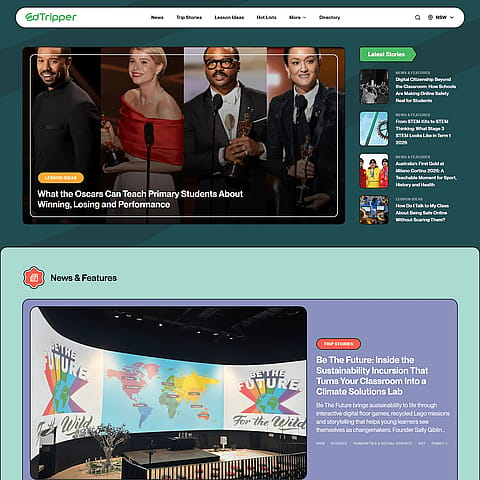
Edtripper · tour app, venue editor and device dashboard
2×
online bookings
Cheeky Kiwi Travel · against the same month on the old site
What's the Problem?
Off-the-shelf only gets you so far.
Off-the-shelf tools and spreadsheets work at first. Then the same information ends up in five places, and your team spends hours each week copying it from one to another.
Work done away from a desk, like on a building site, in a warehouse or at a client's home, often needs a proper mobile app, not a browser tab. At that point, software built around how you work costs less than the time lost to workarounds.
One or Both
Web apps, mobile apps, or both.
Some businesses need one, some need both. We build either, and when you need both, they run on the same system and come from the same team.
01 any browser
Web app
You need this when people mostly use it at a computer, or a phone's web browser does the job.
- Works in any web browser with nothing to install. It's the quickest to launch, and updates reach everyone straight away.
- Everyone logs in and sees only what's meant for them: staff, clients and admins each get their own view.
- Connects to the software you already use: accounting, CRM, calendars, payments and booking tools.
- Can be saved to a phone's home screen and opened like an app, without going through the app stores.
- Stack
- SvelteKit
- Supabase or Firebase
- Stripe
- Cloudflare
In use at: Cheeky Kiwi Travel (booking platform, plus an AI assistant for staff) · POP Local (portal where makers see their sales and get paid every fortnight) · Edtripper (venue directory for teachers, and the editor venues use to build their tours) · Nilkick (our own product)
02 iOS + Android
Mobile app
You need this when people use it away from a desk, it needs the phone's camera, GPS, notifications or offline mode, or it runs on company phones or tablets set up just for it.
- One build covers both iOS and Android. Paired with a web app, both run on the same system, so nothing is built twice.
- Published on the App Store and Google Play, or installed privately on your company's devices with no public listing.
- Keeps working without signal, and syncs when the connection comes back.
- Uses the phone's camera, location and notifications, and staff sign in with the work accounts they already have.
- Stack
- iOS + Android
- one codebase
- shared backend when paired with a web app
In use at: Edtripper: an Android app students use on venue tours, locked onto phones the venue owns and installed privately rather than through the app stores. An update reaches every phone in under 90 seconds.
Side by Side
Web app and mobile app, compared.
Side by Side
| Compared on | Web app | Mobile app |
|---|---|---|
| Where it runs | Web app In a web browser, on a computer or a phone | Mobile app Installed on the phone or tablet |
| How people get it | Web app They open a link | Mobile app From the App Store and Google Play, or installed privately on company devices |
| Updates | Web app Live for everyone straight away | Mobile app Sent out as new versions. Apple and Google review each one if the app is in their stores. |
| Phone features | Web app Camera and location, with some limits | Mobile app Camera, GPS, notifications, fingerprint or face login, background syncing |
| Without signal | Web app Limited | Mobile app Keeps working, and syncs when the signal is back |
| Best for | Web app Client portals, dashboards, admin and bookings, mostly used at a computer | Mobile app Staff on the road or on site, and apps on company phones or tablets |
Our verdict
Many businesses only need one. A web app suits work done at a computer, and a mobile app suits work done on the move. If you need both, the second one builds on the first instead of starting from scratch.
Baked In
Included with every app.
-
Your data, your accounts.
The app runs in your own cloud account, hosted in Australia by default. You can access your data any time without going through us.
-
Roles and permissions.
Staff, clients, partners and admins each see only what they need, and every change is recorded with who made it.
-
Connected to your tools.
Xero, HubSpot, Google and Microsoft calendars, Stripe, Rezdy, and older custom systems too.
-
AI only where it helps.
For example, asking questions about your data in plain English, drafting replies, or reading and checking documents. A person approves anything important, and if AI won't help, we'll say so.
-
Monitored and backed up.
We track errors and keep backups, and your team tests every change on a separate copy of the app, with real data, before it goes live.
-
12 months of care.
For a year after launch, we fix any bug and apply critical updates, at no charge.
-
Never offshored.
Designed and built in Australia, by a small studio with a network of Australian specialists.
-
No lock-in.
You own the code and pay no licence fees. Everything is documented, so another developer could take over if you ever needed one.
Fresh Out
Apps we've shipped.
Fresh Out
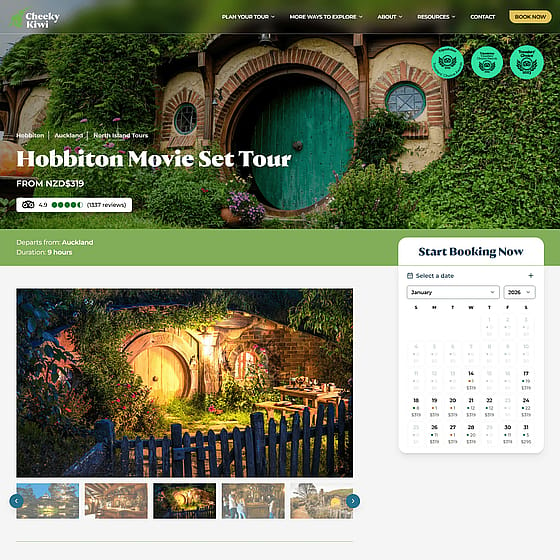
Cheeky Kiwi Travel A booking platform connected to Rezdy. Pages went from 10 seconds to under 2, the conversion rate rose 37%, and staff ask an AI assistant about bookings in plain English.
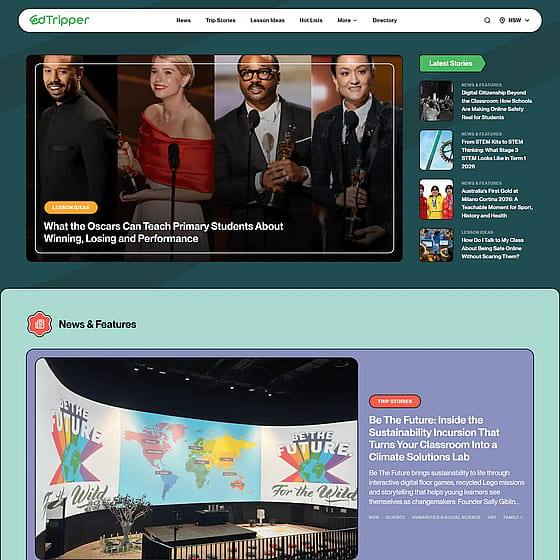
Edtripper A directory of more than 950 venues for teachers, and an Android tour app on phones the venues own, built and live in 30 days.
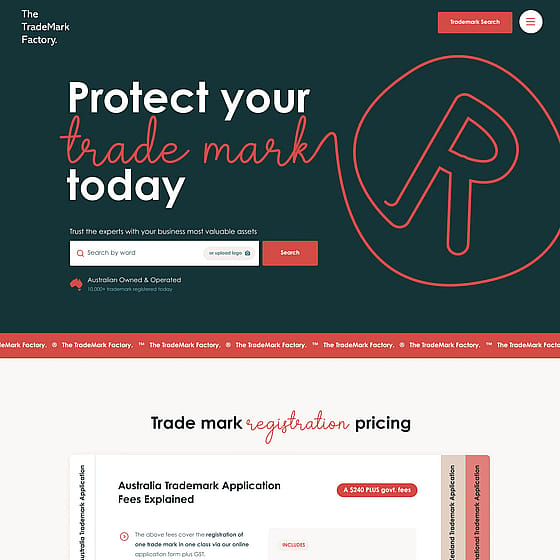
TTMF A trademark application platform for Sydney IP lawyers, with an AI step that checks a mark's chances before the client pays. It runs around the clock.
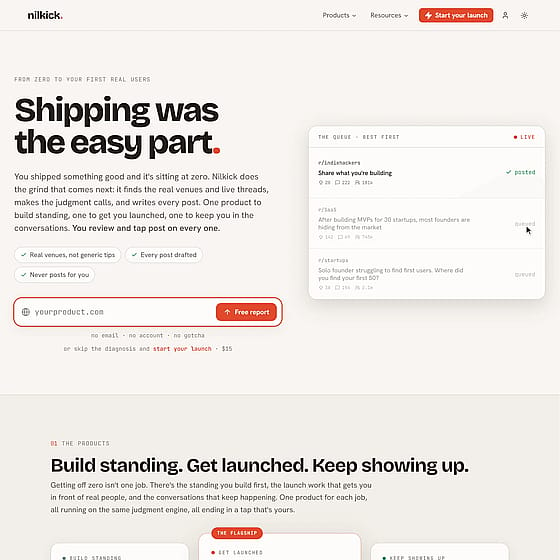
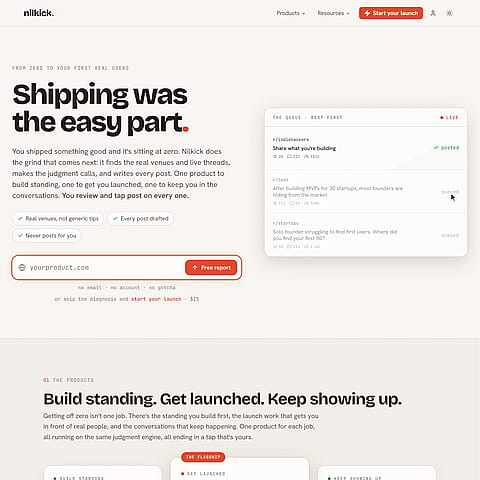
Nilkick Our own product: a free scanner that checks if a site is ready to launch, which grew into a paid app, a Chrome extension and a public API in nine weeks.
The Process
Scope. Design. Build. Launch.
- Step 1 · weeks 0–1
Scope.
We meet with you and your team once or twice to work out what the app needs to do, then send you a written plan and a fixed quote. If you mainly want to automate manual work, start with our free assessment instead.
- Step 2 · weeks 1–4
Design.
We plan each task step by step, then design the screens. You try a clickable mock-up and approve it before we build the real app.
- Step 3 · weeks 4–14
Build in stages.
Every week, we put the latest version on a private test site. Your team tries it with real data and tells us what to change. If there's a mobile app, we build it at the same time.
- Step 4 · week 14+
Launch and after.
We release the app through the app stores or straight to your company devices. For 12 months after launch, we fix any bug and apply critical updates at no charge. A monthly care plan covers monitoring, other updates and small changes.
Price List
What it costs.
Price List
- Web app
- from $15,000 typically $20–45k
- Mobile app iOS and Android, added to a web app
- from $10,000 typically $10–30k
- Care plan updates and small changes · managed plan if the app uses AI
- from $250/month
What affects the price:
- how many user types and connected systems
- how complex your approvals and processes are
- whether a person needs to check the AI's work
- web only, or web plus iOS and Android
Fixed quote after scoping. There's no online calculator: every app is different, so we price it once we know what it needs to do.
Fair Questions
Ask away.
Six questions people ask before they book. For detailed costs, read our web app cost guide or browse all our guides. Have another question? Ask us.
Do you build mobile apps?
Yes, for iOS and Android from a single build. The app can work on its own or share a system with your web app, and we publish it on the App Store and Google Play or install it privately on your company devices. We'll also check whether you need one at all: a web app saved to the phone's home screen does the job more often than people expect.
Web app, mobile app, or both?
A web app if the work is done at a computer, or a phone's web browser does the job. A mobile app if the work is done on the move, needs the camera, location, notifications or offline mode, or runs on company devices. Both if your office and your staff on the road use the same information; the two run on the same system.
Can it connect to our existing systems?
Yes. We connect to what you already use rather than replace it: accounting, CRM, calendars, payments, booking tools and older custom systems. If a system has an API (a way for other software to connect to it), we use that. If it doesn't, we can usually work around it.
Who owns it, and are there licence fees?
You do. The code and the hosting sit in your own accounts, and there are no per-user or per-task fees. You can move to another developer at any time.
How do we know it will keep working?
We monitor it and track errors from day one, test every change on a separate copy before it goes live, and keep backups. For 12 months after launch, any bug is fixed and critical updates are applied at no charge. A care plan covers other updates and small changes, or the managed plan if the app uses AI.
Is this the same as your AI Automation work?
They overlap. If you need software built around how you work, this is the right page. If you want to stop doing a task by hand, start with the free assessment on our AI Automation page. Most automation projects also come with an app like the ones on this page.
Also on the menu All industries
- AI Automation. Enquiries, documents and admin tasks handled automatically, with a person approving the important steps.
- Websites. Fast websites that load in under a second, custom-built or on WordPress.
- eCommerce. Shopify stores, from a custom theme to a fully custom storefront.
- Tour operators and attractions. Booking platforms connected to Rezdy, and apps that run on a venue's phones.
Made to Order
Tell us what your team still does by hand.
A couple of lines is enough. We'll tell you whether you need an app, an automation or both, and give you a fixed quote once we've scoped it.